
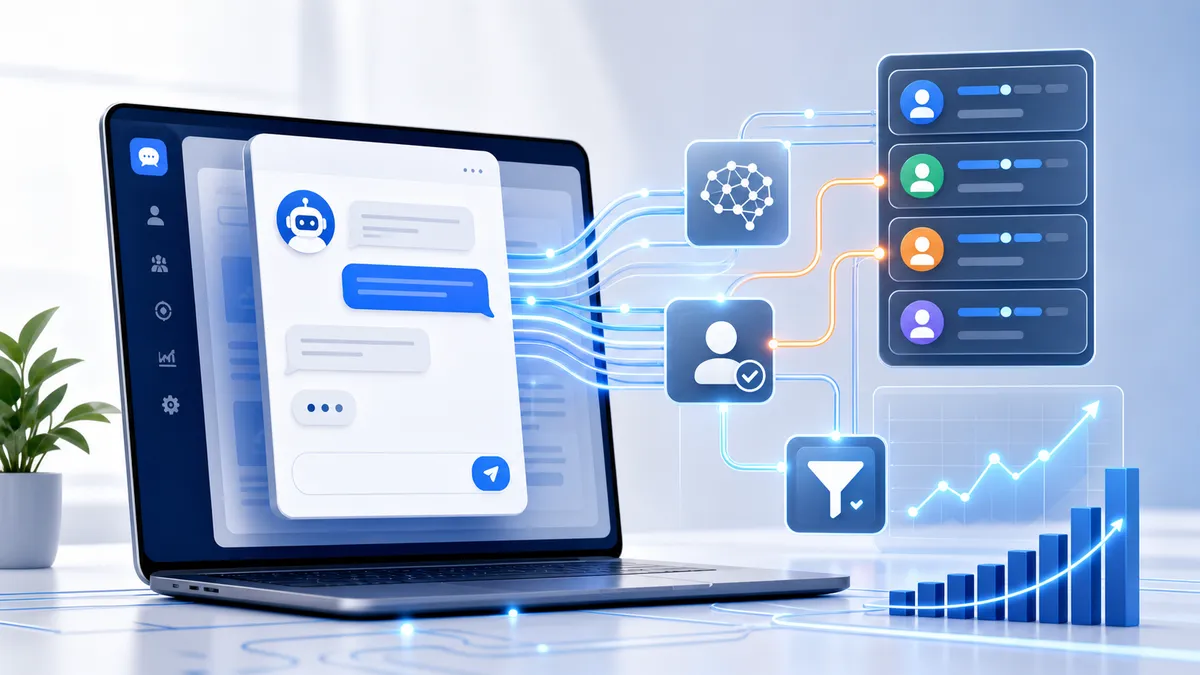
AI chatbots improve lead generation when they are treated as part of the business system, not as a floating widget pasted into a website header.
Quick answer: AI chatbots improve lead generation by responding instantly, asking structured qualification questions, capturing better lead data, routing the prospect into a CRM, triggering fast follow-up, and using real conversation data to improve SEO, GEO, and future conversion flows.
For service businesses, consultants, contractors, agencies, and B2B teams, the old lead flow is usually too slow. A visitor lands on a website, reads a page, fills out a form, and waits. Someone later checks an inbox, copies data into a CRM, decides whether the lead is worth a reply, and writes a follow-up. By that time, the prospect may already be talking to a faster competitor.
A well-built chatbot compresses that timeline. It can greet the visitor, identify intent, ask only the questions that change routing, capture contact details, qualify urgency, and push structured data into the sales workflow immediately.
The important part is the phrase well-built. A chatbot can also damage a website. Heavy scripts can hurt Core Web Vitals. Generic prompts can collect messy, low-value messages. Isolated chatbot dashboards can create yet another inbox nobody checks. The goal is not to add AI decoration. The goal is to build a fast, measurable, search-ready lead generation system.
What This Problem Really Means for a Business
A weak lead generation workflow is a revenue leak. The business may be paying for SEO, local visibility, Google Ads, social content, referrals, and directory listings, but the conversion layer fails to capture the moment when buyer intent is strongest.
The cost shows up in several places:
| Business problem | What happens operationally | Revenue impact |
|---|---|---|
| Slow response | Leads sit in email or a chatbot dashboard | Competitors reach the prospect first |
| Poor qualification | Sales calls are booked with weak-fit prospects | Human time is wasted on low-value work |
| Missing CRM fields | Follow-up depends on incomplete notes | Pipeline reporting and routing break down |
| No automated nurture | Leads get one reply and then disappear | Many valid opportunities go cold |
| Heavy chatbot scripts | The site loads slower and interactions lag | Search visibility and conversion both suffer |
For a local service business, response speed can be the difference between a booked estimate and a lost job. For a consultant or agency, qualification quality can be the difference between a focused sales call and a calendar full of poor-fit conversations. For a startup or B2B team, clean routing can be the difference between a useful CRM and a database of incomplete records.
An AI chatbot is valuable because it combines speed with structure. It can capture the lead while the person is still active, then hand the human team a cleaner summary: what the prospect wants, where they are located, how urgent the need is, which service fits, and what should happen next.
Why Most Businesses Get Chatbots Wrong
The most common mistake is installing the chatbot before designing the workflow.
A business sees a tool promising AI support, copies a script into the site, and opens with a generic line like: “How can I help you today?” That looks modern, but it does not necessarily improve lead generation. It often turns the chatbot into a general inbox for vague questions, support complaints, vendor pitches, and spam.
There are three failure points to watch.
1. Technical implementation failure
Many third-party chatbot vendors ask users to place a script in the global head or body. If that script loads too early, it competes with the page’s most important assets: the hero image, critical CSS, fonts, navigation, and lead-capture controls.
That can hurt:
- Largest Contentful Paint (LCP): the main content appears later.
- Interaction to Next Paint (INP): taps and clicks feel delayed because the main thread is busy.
- Cumulative Layout Shift (CLS): the widget injects itself late and moves the layout.
A chatbot that makes the page feel slow weakens trust before it ever starts a conversation.
2. Conversational design failure
A lead-generation chatbot should not behave like an open-ended toy. It needs a short path that helps a buyer explain what they need without forcing them through a long form.
Weak flows ask broad questions and collect unstructured paragraphs. Strong flows ask targeted questions with buttons, ranges, and short free-text fields.
For example:
| Weak prompt | Stronger prompt |
|---|---|
| Tell us about your business. | Which service do you need help with? |
| What is your budget? | What budget range should we plan around? |
| How can we help? | Are you looking for a new website, SEO growth, or AI automation? |
| When do you need this? | Is your timeline this week, this month, or flexible? |
The chatbot does not need to know everything. It only needs enough to route the lead intelligently.
3. Operational routing failure
A chatbot that captures data but does not move it into the CRM is not automation. It is a prettier inbox.
A production setup should write structured fields into the business systems:
- Contact record.
- Deal or opportunity.
- Service category.
- Source page and campaign.
- Qualification score.
- Urgency and timeline.
- Sales owner.
- Follow-up task or booked meeting.
Without this routing layer, the business still depends on someone manually reading transcripts, copying values, and remembering to follow up.
How to Diagnose the Existing Lead Flow
Before adding or improving a chatbot, measure the current bottleneck. Do not automate a broken intake process blindly.
Start with four questions:
- How long does it take for a new inquiry to become a CRM record?
- How long does it take for the prospect to receive a meaningful first response?
- How many leads arrive with missing service, budget, location, timeline, or contact fields?
- How many booked calls are poor fit after a human reviews them?
Then inspect the website performance impact. Use Chrome DevTools, Lighthouse, PageSpeed Insights, or your preferred Real User Monitoring tool. Look for third-party chatbot files in the network waterfall. If the script downloads or executes before the main content appears, the implementation is probably hurting LCP. If long tasks appear around the chatbot initialization, the script may be hurting INP.
Finally, inspect chatbot analytics:
- Chat engagement rate.
- Flow completion rate.
- Contact capture rate.
- Qualified lead rate.
- Human escalation rate.
- Booked-call rate.
- Closed-won rate from chatbot leads.
High volume with low qualification usually means the flow is too broad. Low completion usually means the chatbot asks too much too early. Low booked-call rate usually means routing or follow-up is too slow.
What to Fix First: Qualification Criteria
Before choosing the model, platform, or automation tool, define what a qualified lead means.
For a service business, useful criteria usually include:
- Service needed.
- Location or service area.
- Timeline.
- Budget range.
- Problem urgency.
- Decision authority.
- Existing website, CRM, or operational system.
- Preferred next step.
This business logic becomes the chatbot architecture. The AI should not improvise qualification from scratch. It should be guided by explicit definitions for good fit, poor fit, urgent, uncertain, support request, spam, and human-review cases.
A practical first version can be simple:
| Signal | Example values | Routing impact |
|---|---|---|
| Service intent | Web development, SEO, AI automation | Determines offer and owner |
| Budget | Under threshold, viable, premium | Filters or escalates |
| Timeline | Immediate, 30 days, flexible | Sets urgency score |
| Location | Miami, Hialeah, remote US, outside scope | Determines local routing |
| Confidence | High, medium, low | Chooses automation or human review |
If the business cannot define these rules, the AI cannot enforce them reliably.
Technical SEO Considerations for AI Chatbots
Technical SEO matters because most chatbot widgets are JavaScript-heavy. Search engines and users both care whether the page becomes useful quickly.
Protecting Largest Contentful Paint
LCP measures when the largest visible element in the first viewport renders. On a service page, that is often the hero text or hero image. If the chatbot script competes for early network and CPU priority, the main content can appear late.
The implementation should avoid placing a synchronous chatbot script high in the document. For noncritical widgets, prefer delayed loading patterns:
<script src="https://example.com/chatbot.js" defer fetchpriority="low"></script>
That pattern is still only a baseline. The best implementation is often a lightweight facade: show a simple button or small chat launcher first, then load the heavy chatbot only after the visitor clicks, scrolls near a conversion section, or waits until the page is idle.

Protecting Interaction to Next Paint
INP measures how quickly the page responds to user interactions. A chatbot can hurt INP when it parses a large bundle, opens a WebSocket connection, injects multiple iframes, or runs expensive initialization logic on the main thread.
To protect INP:
- Defer chatbot JavaScript.
- Avoid initializing the widget before the page is interactive.
- Keep click handlers small.
- Move heavy processing off the main thread where possible.
- Prefer server-side or workflow-side reasoning over client-side computation.
- Measure long tasks after adding the widget.
This is especially important on mobile. A desktop test may look fine while a mid-range mobile device struggles with the same script.
Protecting Cumulative Layout Shift
CLS problems happen when the widget appears late and pushes the page around. Reserve space for any visible widget container, and position floating chat launchers without changing document flow.
If the chatbot opens a panel, make it overlay the page rather than resizing important content. The user should never accidentally click the wrong element because the chatbot injected itself late.
The Ideal Chatbot Qualification Flow
A lead-generation chatbot should feel helpful, but it should also be deterministic. The path should be short, easy to complete, and tied directly to CRM fields.
A practical six-step flow looks like this:

Greeting
The greeting should make the next action obvious. Avoid long introductions. A strong opening might say:
Want help deciding the right next step? I can ask three quick questions and route your request.
Intent
Intent should be captured through buttons whenever possible. For example:
- New website.
- SEO growth.
- AI automation.
- Technical audit.
- Existing project question.
This reduces typing friction and produces cleaner routing data.
Qualification questions
Ask only questions that change the next action. For a technical service business, useful qualification questions might be:
- What outcome are you trying to achieve?
- What is your timeline?
- What budget range should we plan around?
- Do you already have a website, CRM, or automation tool?
Avoid turning the chatbot into a long questionnaire. If a question does not affect routing, remove it.
Contact capture
Capture contact details before the conversation becomes too long. Email is usually the minimum. Phone may be useful for local service businesses, but it should be requested with clear consent language if automated SMS or calls are part of the workflow.
Routing and confirmation
Once the system has enough data, it should confirm the next step clearly:
- Book a consultation.
- Send a project brief.
- Route to a human.
- Enter a nurture sequence.
- Decline politely if the request is outside scope.
The confirmation message should not be generic. It should summarize the prospect’s need so they feel understood.
CRM Automation and Middleware Routing
The chatbot becomes commercially useful when its data moves immediately into the business system.
A strong routing workflow uses webhooks or APIs to send a structured payload into middleware such as n8n, Make, Zapier, or a custom backend endpoint. That payload should include:
{
  "name": "Prospect name",
  "email": "prospect@example.com",
  "serviceInterest": "AI automation",
  "budgetRange": "3000-7500",
  "timeline": "30 days",
  "sourcePage": "/services/ai-automation/",
  "leadScore": 8,
  "confidence": 0.91,
  "recommendedNextAction": "Book consultation"
}
The middleware can then execute multiple actions at the same time.

The CRM record should receive fields, not only a transcript. Structured fields make reporting, owner assignment, segmentation, and follow-up easier.
A useful production workflow usually includes:
- CRM contact creation or update.
- Deal creation with stage and owner.
- Internal notification for qualified leads.
- Backup logging in case a CRM API fails.
- Calendar routing for high-intent leads.
- Automated nurture for valid but slower leads.
- Human review for uncertain cases.
Predictive Lead Scoring
Basic lead scoring uses fixed rules. For example, a lead might receive points for a viable budget, local service area, urgent timeline, or high-value service interest.
Predictive lead scoring goes further by comparing new lead data against historical outcomes. It can account for source, page path, service interest, firmographics, behavior, language, urgency, and past win/loss data.
The routing logic can be visualized as a simple intent-and-budget matrix:

For most service businesses, start with a simple scoring model before adding complexity:
| Score range | Meaning | Action |
|---|---|---|
| 8-10 | High fit and high intent | Show booking link and notify sales immediately |
| 5-7 | Possible fit but needs review | Create CRM task and send value-based follow-up |
| 2-4 | Low fit or unclear intent | Route to nurture or ask one clarifying question |
| 0-1 | Spam or outside scope | Suppress, archive, or decline politely |
The key is not the model name. The key is whether the score changes what the system does.
The AI Nurture Sequence
Not every qualified lead books immediately. Many buyers need context, proof, or internal approval. This is where automated nurture matters.
A simple sequence can work well:
| Timing | Message goal | Example content |
|---|---|---|
| Immediate | Confirm and summarize | “Here is what I understood and the next best step.” |
| Day 2 | Add value | Send a case study, checklist, or relevant article tied to their stated need. |
| Day 5 | Soft conversion | Invite them to book a short diagnostic call or reply with a question. |
The follow-up should use the chatbot data. A prospect who selected SEO growth should not receive the same message as a prospect who selected CRM automation. Personalization does not need to be creepy. It just needs to be relevant.
How This Connects to GEO, AEO, and AI Search
AI chatbots can also improve search strategy because they capture the exact language prospects use.
Traditional keyword tools show search demand. Chat logs show sales language. People often ask chatbots full questions, such as:
- How much does an AI chatbot cost for a local service business?
- Can this connect to HubSpot?
- Will a chatbot slow down my website?
- Can it qualify leads before booking a call?
- Can it work in English and Spanish?
Those questions can become better content, FAQ schema, service-page sections, and internal-link anchors.

This is where Answer Engine Optimization and Generative Engine Optimization become practical. The business is no longer guessing every question. It can mine real conversations, write direct answers, mark them up with schema, and make the site easier for search engines and AI assistants to understand.
Implementation Checklist
Use this checklist when deploying an AI chatbot for lead generation.
| Phase | Action | Why it matters |
|---|---|---|
| Strategy | Define qualification criteria | The AI needs clear routing rules. |
| Conversation | Build a short guided flow | Short flows reduce abandonment. |
| Performance | Defer and lazy-load scripts | Protects Core Web Vitals. |
| CRM | Map structured fields | Makes routing and reporting reliable. |
| Automation | Add webhook and fallback logging | Prevents lost leads when an API fails. |
| Sales | Define escalation thresholds | Keeps humans involved where judgment matters. |
| SEO/GEO | Turn chat questions into FAQs | Improves answer-engine relevance. |
| Measurement | Track qualified lead outcomes | The system improves only when outcomes are reviewed. |
Mistakes to Avoid
Do not load the chatbot synchronously before the page is usable. That can hurt speed, rankings, and trust.
Do not open with a vague prompt and expect the visitor to structure the conversation for you. A lead-generation flow should guide the user.
Do not ask every possible question before capturing a contact point. Get the minimum useful information, then continue progressively.
Do not let qualified leads sit inside a proprietary chatbot dashboard. Route them into the CRM immediately.
Do not automate the final handoff for every case. High-value, emotional, complex, or uncertain conversations should reach a human quickly.
Do not forget multilingual markets. In places like Miami and Hialeah, bilingual lead capture can materially improve conversion when the workflow can detect and respond naturally in the visitor’s preferred language.
The Approach for Service Businesses
The strongest implementation combines AI automation, conversion-focused web development, and technical SEO.
The website must load quickly. The chatbot must collect structured data. The CRM must receive the data immediately. The sales team must know when to act. The content strategy must learn from the questions real prospects ask.
That closed loop is the real advantage. The chatbot is not only answering questions. It is turning website traffic into qualified pipeline, turning conversations into CRM intelligence, and turning repeated user questions into better search-ready content.
Final Recommendation
An AI chatbot can improve lead generation dramatically, but only when it is engineered as a system.
Start with the business rules. Keep the conversation short. Protect Core Web Vitals. Route structured data into the CRM. Trigger fast follow-up. Review outcomes. Then use the questions captured in chat logs to improve FAQ content, schema, internal links, and GEO strategy.
A passive website waits for the visitor to do all the work. A strong AI-enabled website guides the visitor, qualifies intent, and moves the opportunity forward while the buyer is still engaged.
For a practical implementation, start with one high-value workflow: a service page chatbot that asks three qualification questions, writes to the CRM, notifies the right person, and books qualified leads into a consultation. Once that works, expand the same architecture across the rest of the site.
Works Cited
- Netlify. The Jamstack Guide to Core Web Vitals.
- Vercel. Optimizing Core Web Vitals in 2024.
- web.dev. Optimize resource loading with the Fetch Priority API.
- Smashing Magazine. Boost Resource Loading With fetchpriority, A New Priority Hint.
- NitroPack. JavaScript Lazy Loading: What It Is and How to Use It.
- AgentMinds. How to Build an AI Lead Generation Chatbot for Small Business.
- Warmly. How to Use An AI Chat for Lead Generation in 2026?.
- Botpress. Complete Guide to Lead Generation Chatbots.
- Monday.com. AI Lead Generation and Management.
- Salesforce. Generative Engine Optimization: Teach AI Who You Are.
- Hashmeta. How Conversational Search Is Revolutionizing Keyword Research.
- NoGood. How To: Conversational Search Optimization.